DICOMDIR and Media Interchange

DICOMDIR, Have you heard this term? What does it mean? Do I need this in my system? Lots of questions. Let's try to answer some.

Here's a list with quick information about DICOMDIR:

  1. Standard DICOM CD/DVD should have a file named DICOMDIR in its root directory.
  2. The DICOMDIR file has in it records that hold paths to DICOM files on the media.
  3. DICOMDIR is a DICOM Object holding a sequence of DICOMDIR records nodes each having a type like PATIENT, STUDY, SERIES and IMAGE
  4. The DICOMDIR file include key attributes from the data on the media such as Patient Name, Patient ID, Study ID, Study Date.
  5. The file names of DICOM files on a standard DICOM CD/DVD should be capital alphanumeric up to 8 characters with no suffix.
  6. The CD/DVD may include other files that are not DICOM. The DICOMDIR file does not reference them.
  7. The mandatory elements of the DICOMDIR nodes are not 1-2-1 with the mandatory elements in the DICOM Objects. For example Study ID which is Type 2 in DICOM Image objects is Type 1 in DICOMDIR STUDY Record. So when creating your DICOM images if you intend to create DICOMDIR for them, add these elements too.
There are two ways DICOM application can collaborate with one another. They can communicate over TCP/IP network connection or they can exchange files over some physical media.

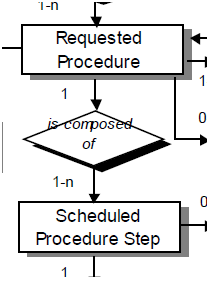
The first figure in the DIOM standard makes sense eventually
The picture above, which is by the way the first figure in the DICOM standard (page 10 of chapter 1), explains that very well although when I first looked at thirteen years ago it it didn't mean anything to me.
It is worth staying a bit longer on this figure because it has a lot of valuable information in it so lets work it top to bottom.

HL7Kit Pro 2.0

At last, HL7Kit pro 2.0 is out! The new kit features complete integration between DICOM and HL7 and comes up with the DICOM Modality Worklist SCU (as an option) fully pre-configured out of the box. After installation, the package can serve both HL7 orders and DICOM modality worklist queries with no additional configuration. To complete the package we've added the Modality Worklist client so you can see the full cycle.
As before, the kit comes with free evaluation download. The price for the kit has not change but the DICOM Server comes as an extra. More updates soon as we complete new video tutorials and users manual.
The kit relays on SQL Server and installer looks for a pre-installed SQLEXPRESS instance. Check the downloads page on www.hl7kit.com

IHE Connect-A-Thon

Connect-A-Thon, pronounced like Marathon, is a huge geek party of healthcare IT enthusiasts. Its an event organized by IHE where healthcare IT and medical device vendors test their products' interoperability.

IHE develop and publish technical frameworks for the different domains of healthcare. There's Technical frameworks for Anatomic Pathology, Cardiology, Eye Care, IT Infrastructure, Laboratory, Patient Care Coordination, Patient Care Device, Pharmacy, Quality, Research and Public Health, Radiation Oncology, Radiology.

The technical frameworks (TF) are detailed document very much like software specifications that describe integration profiles, i.e. scenarios, with descriptions of actors and transactions much like the text of a play or a movie. Every actor has the transactions that it can perform to cary out a task.

Let's do an example. I've written a lot about DICOM Query Retrieve and Modality Worklist. IHE describe these services in the the radiology (RAD) scheduled workflow (SWF) integration profile. query and Retrieve are transactions RAD-14 and RAD-16 and in the documents that IHE publish these transactions are described in very detail down to the level of required and optional keys for the request and the response of the modality and the image manager (the name for PACS actor in IHE TF).

During the connect-a-thon all the participants perform tests scenarios together and IHE monitors validate the results by going over the logs and watching the transactions being performed on the event hall. At the end of the connect-a-thon IHE publishes an excel spreadsheet with the list of vendors and the actors that have successfully tested their systems and passed the tests. for example, if you develop an ultrasound machine then in the excel it will look like a line with your company name and system name and it will state that you've tested your system as RAD SWF IM. So for example a vendor that would like to buy your product can open this spreadsheet and verify that your product integrate well with another vendors' PACS that he consider buying. If both systems participated in the event and performed the same transactions then theres a better chance that they can work together well.

But there's more value in the connect-a-thon then just getting your name on the excel sheet which I don't underestimate at all but this year I've come to Chicago with a clear mission: to test my customer's product with as many other products as possible in an environment as close as possible to a real hospital installation. There's no other opportunity to achieve this goal within a week that matches the connectathon. This is a real value that every software or product development manager can justify. So if you work for a medical device company and develop or test interfaces like HL7, CDA, DICOM XDS and haven't yet participated in a connectathon, go to your boss and make her read this paragraph and if he (or she) doesn't send you to register for one of the coming connect-a-thons right on the spot then either there are very good reasons why not to (and I can't think of many but for budget constraints) or he's a complete ___ ____!

Live from the IHE NA Connect-A-Thon in Chicago

Hi,

IHE NA Connect-A-Thon 2013 about to begin
I'm in the NA Connect-A-Thon now and the show is about to begin. I'll try to update more and explain about this amazing event later this week. Now we're busy configuring.

The connect-a-thon is a great way to test your systems as many vendors gather in the same place at the same time to run tests together.

I'll add more details later.


C# Tricks


I did some UI work in C# lately and discovered all kind of cool new stuff. So cool, I couldn't resist sharing it with the world.

Lets say we have a multi-threaded application that throws tasks (TPL) in the back-end.

The tasks report back and we want to reflect it in the UI but we should update UI always in the main thread. We use Invokefor and in many places in the code we have chunks of the kind:

void SomeFunction()
{
  if (this.InvokeRequired)
    this.Invoke(new MethodInvoker(SomeFunction)
  else
  {
     // Here goes some UI functionality
  }
}

this is the form we are working in for example.

With .NET 3.0 we have Action so we can write one function like this

        void DoUiStuff(Action a)
        {
            if (this.InvokeRequired)
                this.Invoke(new MethodInvoker(a));
            else
                a();

        }

Then whenever we want a UI action we write a lambda expression for example:

DoUiStuff(() => progressBar.Visible = true);

or even a code block like this:

DoUiStuff(() =>
            {
              progressBar.Visible = false;
MessageBox.Show("Done!");
});

Fun ...


DICOM Server and DICOM Toolkit new Release 2.0.2.8

The last couple of weeks were very busy with many installations of the DICOM Server all over the world. It turned out to be a product that many people were waiting for and we've been busy with installations and support work. Naturally, many issues were found and fixed. These fixes and improvements were gathered into the last release that is now available online. It was great fun to see that people liked the idea of the server and modified and customized the database mappings to meat their own requirements. For me this was the best indication that the product concept is really working.

Release 2.0.2.8

A new release is ready on the DICOM downloads page. This release addresses couple of bug fixes and improvements to the DICOM Server and DICOM Toolkit. Many of these changes were initiated by customers requests and I would like to thank you for the feedback and bug reports.

Part 19 of the DICOM Standard

DICOM Plugin Model
While preparing for a meeting with a new customer I took some time to review part 19 of the DICOM standard that I haven't red yet. Actually I should have done it before even it went out but being busy with other issues, it got ever delayed. Part 19 of the DICOM standard carries a prominent name, "Application Hosting". For me, Application Hosting immediately associates with Amazon EC2, Google App Engine, Cloud Computing and Grid. You can imagine my disappointment when I found out that behind the cover page I couldn't find anything of that kind. Instead, part 19 is a very detailed software specification document of a plugin model for two applications collaborating with one another over SOAP. It includes WSDL's and call sequencing diagrams that explains how the host application can invoke (or connect to) the plugin and exchange Web Services URL's that each application can then work with to collaborate with one another. The model is well defined and when I got few days ago an email Ad from Aunt Minnie about the Philips IntelliSpace PACS API I immediately went to look if it uses the DICOM plugin API Model. The Ad went to Philips Medical web site and as far as I could figure out their API is not based on DICOM's Application Hosting part. As of this moment I don't know of any vendor that does implement DICOM Application Hosting and if one of the reader does know such vendor, please comment and share this info with me.